The three artefacts a PM ships, and the visuals they need
SnapShelf is a $49 one-time macOS 13+ app for product work: capture a full-length spec or dashboard in one scrolling image, export a shipped feature as a GIF for the changelog, and record a short walkthrough instead of booking a demo call.
Last updated
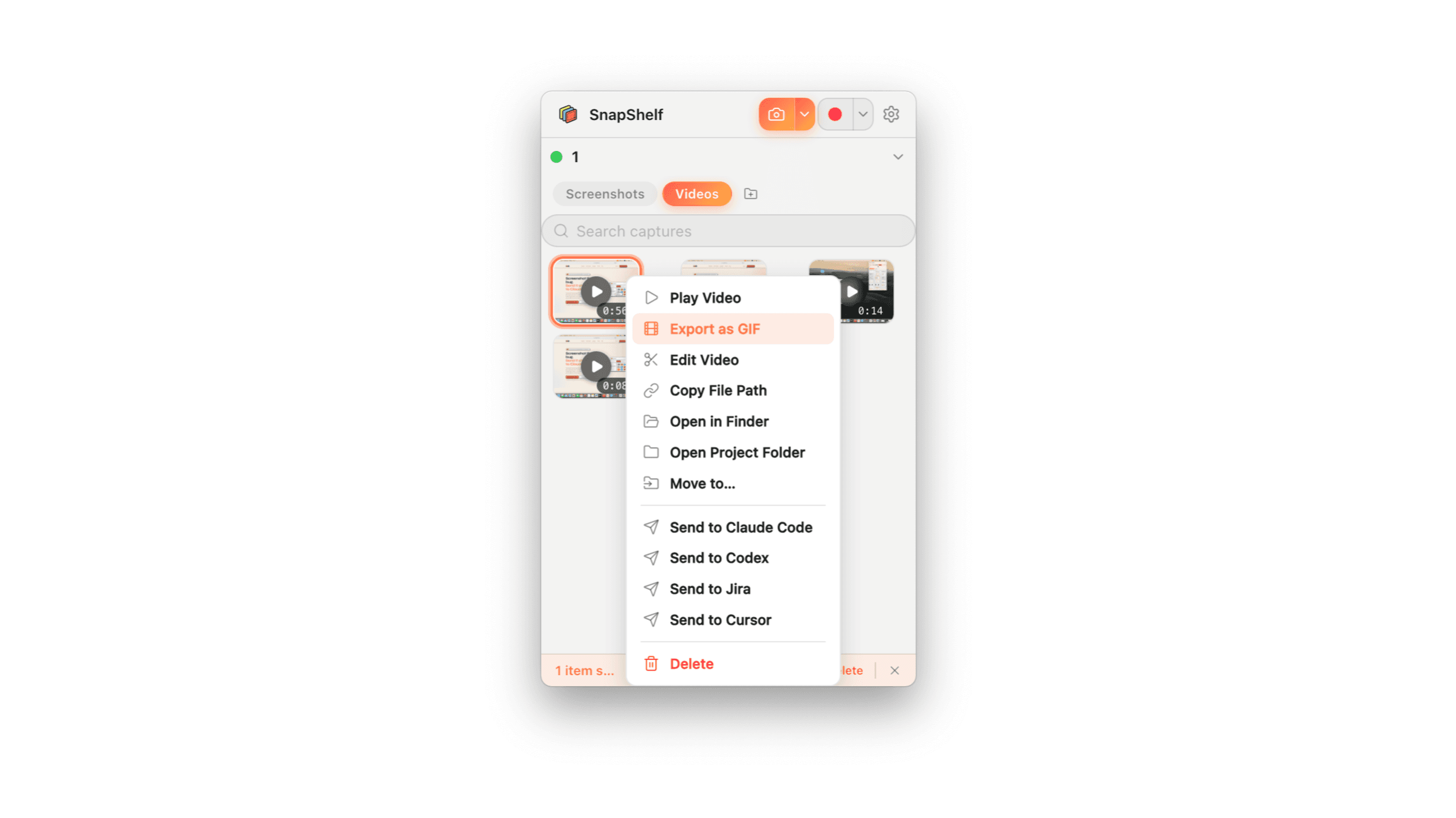
A short interaction being exported as an optimised animated GIF, ready to paste into a changelog entry.
Three artefacts, three different visual problems
Almost everything a product manager writes falls into one of three buckets, and each one fails visually in its own way.
A spec needs to show a current state and a proposed state. It usually contains stale screenshots, because the spec was written in March and the UI moved in May, and nobody re-shot anything. A changelog entry needs to show the thing that shipped, in about three seconds, to people who will not read a paragraph. A stakeholder update needs to convey progress to people in other timezones who will not attend a demo.
Treating these as the same problem is why so many product docs are walls of text with one blurry image at the top.
Specs: capture the whole thing, not a crop of it
The most common spec screenshot failure is cropping. Someone grabs the visible part of a settings page or an analytics dashboard, and the reviewer cannot tell what else is on that screen — which is exactly the context that determines whether the proposal makes sense.
Scrolling capture solves this specific problem. Activate it, scroll the page at a natural pace, and SnapShelf stitches the frames into a single tall image. It works on web pages, long Notion pages, documentation, and most macOS apps using standard scrollable views. The result is one image of the entire current state, which is a much better spec input than four crops.
The second habit worth having: date your spec screenshots and say what build they came from. A screenshot with no date in a document with no date is how a spec quietly becomes wrong.
Changelogs: the GIF is the entry
For a shipped feature, a three-second loop showing the interaction outperforms any description. It plays inline in Linear, in a GitHub release, in Slack, and in most changelog tools, and it does not ask anyone to click anything.
- 1Record the feature being used — just the interaction, no narration, mic off
- 2Trim hard: cut to the moment the interaction starts and stop the instant the result appears
- 3If you want the polished version, open the recording in the editor, check the auto-zoom is punching in on the right element or turn it off if the feature is full-screen, and export MP4
- 4For the changelog entry itself, export the saved recording to GIF from the library — a palette-optimised animation rather than a raw frame dump
- 5Paste it into the changelog entry — it is already on your clipboard
Stakeholder updates: two minutes of video beats a wall of text
Async video is the format most product teams underuse. A two-minute walkthrough of what shipped this sprint gets watched; the equivalent 800-word update gets skimmed by the two people who were already paying attention.
The reason PMs do not do it more is that recording a "presentable" video feels like it needs preparation. It does not, if the editing is cheap: record from the menubar with no setup, hit Auto-Edit to strip the silent gaps and the moment you spent finding the right tab, and export. A rambling five-minute first take becomes a tight two-minute update without you making a single manual cut.
Export MP4 for the full walkthrough and a GIF for the one highlight worth putting at the top of the written update. Drop both into Notion, Confluence, or the Linear project — the video is a file you attach, not a link, because SnapShelf keeps everything local.
The honest limits
SnapShelf is not Loom. There is no upload, no share URL, no viewer analytics telling you which stakeholder watched to the end. Everything lands as a file on your Mac and you attach it. If "who watched my update" is a metric you rely on, this is the wrong tool. Optional cloud sharing is on the roadmap, but it does not exist today and you should not buy on the assumption it will.
It also does not touch your tracker beyond the Jira hand-off. There is no roadmap view, no Linear sync, no automatic embedding into a Notion page. It produces the asset; you place it.
And it cannot fix the underlying problem, which is that most product docs are too long. A good GIF at the top of a bad spec is still a bad spec.
Try SnapShelf
Free for 7 days, then $49 once — 2 years of free updates, no subscription, and everything stays on your Mac. 30-day money-back guarantee.
No account, no card · macOS 13+ · Apple Silicon & Intel
FAQ
Questions, answered
Everything you need to know before buying.
Use scrolling capture: activate it from the menubar panel, scroll the page at a natural pace, and SnapShelf stitches the frames into one tall image. It works on web pages, long Notion pages, and most macOS apps with standard scrollable views. How scrolling capture works →
Stop hunting for screenshots. Start shipping.
Every capture filed, annotated, recorded with cursor auto-zoom, and one right-click away from your Claude Code session. Free for 7 days, then $49 once — yours forever.
30-day money-back guarantee7-day trial, no cardOne-time purchase2 years of free updatesLocal-only datamacOS 13+ · Apple Silicon & Intel