SnapShelf vs CaptureShelf
SnapShelf is a $49 one-time CaptureShelf alternative for macOS 13+ that keeps the organised screenshot gallery and adds what CaptureShelf ($15) doesn’t have: screen recording with cursor auto-zoom, a full annotation editor, on-device OCR, and one-click Send to Claude Code.
CaptureShelf is a tidy screenshot shelf. SnapShelf is the shelf plus the capture, annotation, recording, and AI-workflow tools around it.
Free 7 days, no card · macOS 13+ · Apple Silicon & Intel · 30-day money-back guarantee
The one-liner
A searchable, auto-filed capture gallery like CaptureShelf — plus annotation, beautify, on-device OCR, screen recording with cursor auto-zoom, a multi-track editor, and Send to Claude Code, Codex, or Jira. One payment, $49.
Pricing
The sharpest contrast
| SnapShelf | CaptureShelf | |
|---|---|---|
| Model | One-time | One-time |
| Price | $49 once | $15 once |
| Screen recording | Yes — with cursor auto-zoom | No |
| Send to Claude Code / Codex / Jira | Yes | No |
| Money-back guarantee | 30 days | — |
CaptureShelf pricing and features verified July 2026 from public feature lists ($15 one-time). Subject to change.
Comparison
Feature by feature
Everything SnapShelf and CaptureShelf do — and don't — side by side.
| Feature | SnapShelf← you | CaptureShelf |
|---|---|---|
| AI & Dev Workflow | ||
| MCP server — Claude drives the app | ||
| Send to Claude Code / Codex | ||
| Send to Jira / any URL | ||
| On-device OCR | ||
| Capture | ||
| Region / window / fullscreen | ||
| Auto-scrolling capture | ||
| Clean capture (hide icons / dim) | ||
| Organize | ||
| Smart auto-filing by app / window | ||
| OCR fallback routing | ||
| Gallery with search | ||
| Annotate | ||
| Annotation editor (arrows, text, blur…) | ||
| Backgrounds & beautify | ||
| Record & Edit | ||
| Screen recording | ||
| Cursor auto-zoom | ||
| Click ripples / spotlight | ||
| Multi-track video editor | ||
| Auto-Edit (silence removal) | ||
| GIF export | ||
| Export & Privacy | ||
| Multi-page PDF export | ||
| Local-first (no cloud upload) | ||
| Share links | ||
| One-time price | ||
| Price | ||
| Price | $49 once | $15 once |
Competitor info based on publicly available feature lists as of July 2026. Partial () means limited or add-on support. Soon means on the roadmap — join the waitlist. All product names and trademarks are the property of their respective owners; SnapShelf is not affiliated with or endorsed by them.
Free 7 days, no card · one-time · all features included · 30-day money-back
Where CaptureShelf wins
- Cheaper at $15 for gallery-only needs
- Deliberately minimal — nothing to learn
- Light footprint for occasional screenshotting
Where SnapShelf wins
- Send to Claude Code, Codex, and Jira — straight from the gallery
- Screen recording with cursor auto-zoom, click ripples, and spotlight
- Full annotation editor: arrows, text, blur, step badges, backgrounds
- On-device OCR — extract text from any capture
- Auto-scrolling capture for long pages and threads
- Multi-track video editor, Auto-Edit, GIF and multi-page PDF export
- Smart auto-filing by app and window title, with OCR fallback routing
We keep this honest — if CaptureShelf fits your workflow better, use it.
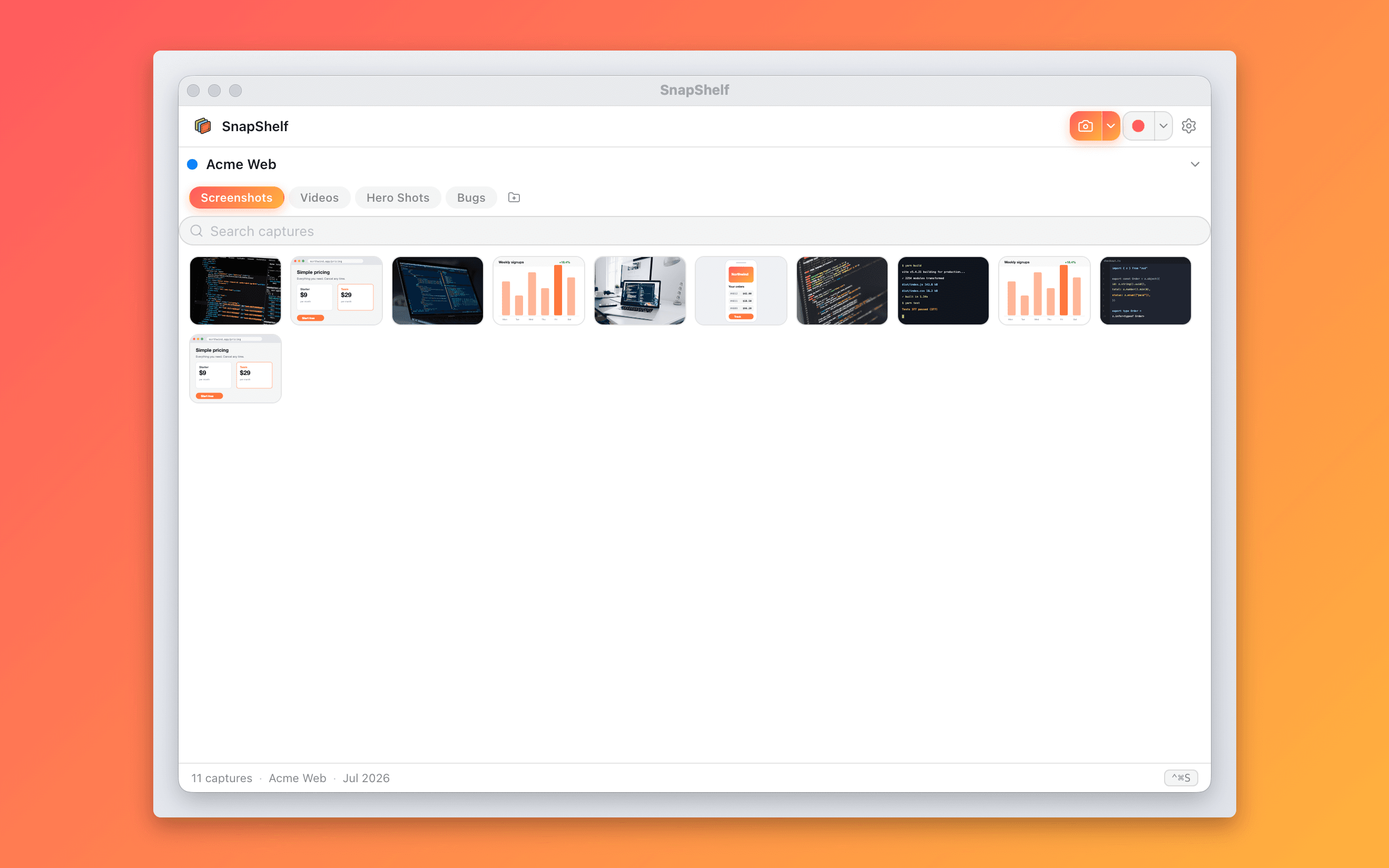
The gallery plus Send to Claude Code — organising is the start, not the point.
FAQ
Questions, answered
Everything you need to know before buying.
Screen recording with cursor auto-zoom and click effects, a full annotation and beautify editor, on-device OCR, scrolling capture, a multi-track video editor with GIF and PDF export, and Send to Claude Code, Codex, or Jira. CaptureShelf is an organiser; SnapShelf is the whole capture workflow.
Stop hunting for screenshots. Start shipping.
Every capture filed, annotated, recorded with cursor auto-zoom, and one right-click away from your Claude Code session. Free for 7 days, then $49 once — yours forever.
30-day money-back guarantee7-day trial, no cardOne-time purchase2 years of free updatesLocal-only datamacOS 13+ · Apple Silicon & Intel