SnapShelf vs Screen Studio
SnapShelf is a $49 one-time Screen Studio alternative for macOS 13+: like Screen Studio (now $108/yr, subscription-only) it records with cursor auto-zoom, click effects, and a multi-track editor — and it also captures, annotates, OCRs, and auto-files screenshots, and sends any capture straight to Claude Code.
Screen Studio is excellent at one job: gorgeous screen recordings. It also stopped selling a one-time licence in October 2025 — cancel and you lose access. SnapShelf does that job, and the whole capture workflow around it, for $49 once.
Free 7 days, no card · macOS 13+ · Apple Silicon & Intel · 30-day money-back guarantee
The one-liner
Cursor auto-zoom, click ripples, spotlight, and a multi-track editor like Screen Studio — plus screenshot capture, annotation, on-device OCR, smart auto-filing, and one-click Send to Claude Code. Screen Studio does one thing beautifully, for $108 a year, forever. SnapShelf does the whole capture workflow for $49, once.
Pricing
The sharpest contrast
| SnapShelf | Screen Studio | |
|---|---|---|
| Model | One-time | Subscription only |
| Price | $49 once | $108/yr |
| Scope | Capture + organise + annotate + record + edit | Screen recording only |
| Send to Claude Code / Codex / Jira | Yes | No |
| Money-back guarantee | 30 days | — |
Screen Studio pricing and features verified August 2026 from screen.studio ($29/mo, or $108/yr billed annually; the one-time licence was discontinued in October 2025). Subject to change.
Comparison
Feature by feature
Everything SnapShelf and Screen Studio do — and don't — side by side.
| Feature | SnapShelf← you | Screen Studio |
|---|---|---|
| AI & Dev Workflow | ||
| MCP server — Claude drives the app | ||
| Send to Claude Code / Codex | ||
| Send to Jira / any URL | ||
| On-device OCR | ||
| Capture | ||
| Region / window / fullscreen | ||
| Auto-scrolling capture | ||
| Clean capture (hide icons / dim) | ||
| Organize | ||
| Smart auto-filing by app / window | ||
| OCR fallback routing | ||
| Gallery with search | ||
| Annotate | ||
| Annotation editor (arrows, text, blur…) | ||
| Backgrounds & beautify | ||
| Record & Edit | ||
| Screen recording | ||
| Cursor auto-zoom | ||
| Click ripples / spotlight | ||
| Multi-track video editor | ||
| Auto-Edit (silence removal) | ||
| GIF export | ||
| Export & Privacy | ||
| Multi-page PDF export | ||
| Local-first (no cloud upload) | ||
| Share links | ||
| One-time price | ||
| Price | ||
| Price | $49 once | $108/yr |
Competitor info based on publicly available feature lists as of July 2026. Partial () means limited or add-on support. Soon means on the roadmap — join the waitlist. All product names and trademarks are the property of their respective owners; SnapShelf is not affiliated with or endorsed by them.
Free 7 days, no card · one-time · all features included · 30-day money-back
Where Screen Studio wins
- Deeper motion-polish presets from years of focus on one job
- Automatic device frames and wallpaper-style backgrounds for recordings
- iOS device recording workflows
- The long track record as the reference “produced screen recording” app
Where SnapShelf wins
- Cursor auto-zoom, click ripples, and spotlight — included, not a yearly subscription of their own
- Everything before the recording: capture, annotate, OCR, scrolling capture
- Send to Claude Code, Codex, and Jira — straight from any capture
- Smart auto-filing into project folders by app and window
- Auto-Edit: silence removal in one click
- Multi-page PDF export and GIF export
- Pay once, keep it — $49 flat vs $108 every year, with access ending if you cancel
We keep this honest — if Screen Studio fits your workflow better, use it.
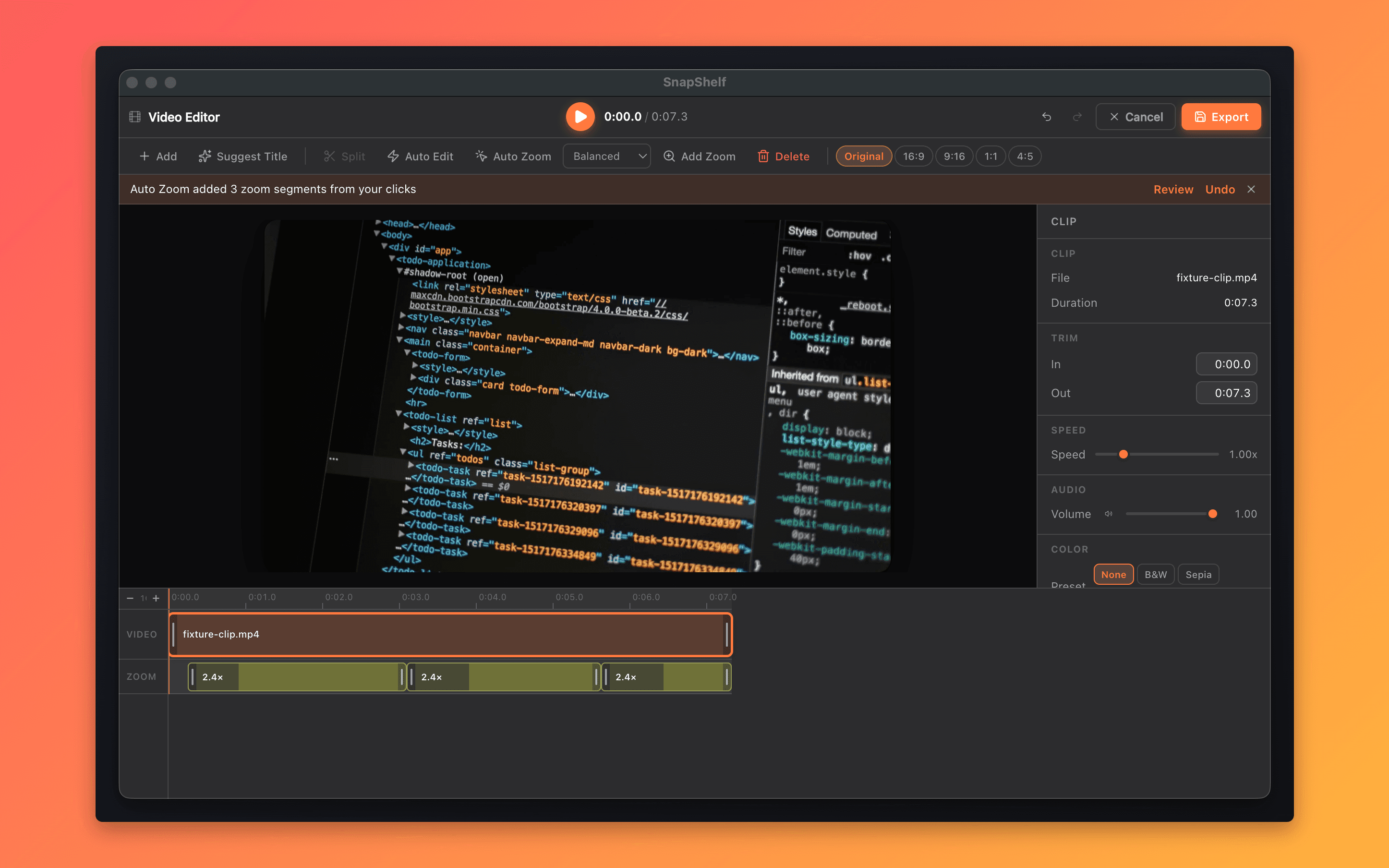
Cursor auto-zoom and the multi-track editor — the Screen Studio workflow, inside a full capture tool.
FAQ
Questions, answered
Everything you need to know before buying.
Screen Studio is a dedicated screen recorder, now sold only as a subscription at $108/yr. It’s excellent at that one job. SnapShelf gives you cursor auto-zoom, click effects, and a multi-track editor too — plus screenshot capture, annotation, OCR, smart filing, and a one-click hand-off to Claude Code. Screen Studio does one thing beautifully. SnapShelf does the whole capture workflow, and you buy it once.
Stop hunting for screenshots. Start shipping.
Every capture filed, annotated, recorded with cursor auto-zoom, and one right-click away from your Claude Code session. Free for 7 days, then $49 once — yours forever.
30-day money-back guarantee7-day trial, no cardOne-time purchase2 years of free updatesLocal-only datamacOS 13+ · Apple Silicon & Intel